How to deal with Roblox: A practical guide for players and developers
Learn how to deal with Roblox safely and effectively with a step-by-step guide covering account security, parental controls, troubleshooting, privacy, and official support resources.


Goal: Learn how to deal with Roblox effectively by building a safe, enjoyable, and productive experience. This guide covers account security, parental controls, common issues, troubleshooting steps, safe browsing, and how to access official support. By following a practical framework, you'll reduce disruptions, protect your progress, and stay informed about updates and community guidelines.
What does it mean to deal with Roblox? A practical framework
In this guide, dealing with Roblox means building a safe, enjoyable, and productive experience—whether you are a casual player, a parent managing a child's account, or a creator learning Roblox Studio. The goal is not to police every moment, but to establish reliable routines, trustworthy sources of information, and clear decision rules. Start by recognizing the common risk areas: account security, privacy, in-game purchases, and exposure to inappropriate content. With that awareness, you can apply a simple framework: define goals, secure access, monitor activity, and seek official help when needed. Throughout this process, prioritize verifiable sources, use built-in Roblox controls, and maintain open communication with family members or teammates. By focusing on practical steps rather than hype, you’ll be better prepared to handle surprises and keep Roblox a fun, safe space.
Define goals and boundaries for Roblox use
Before you dive in, set clear goals for what you want to achieve with Roblox. Whether you want a relaxing social space, a place to learn basic game design, or a platform to showcase your own creations, having defined outcomes helps you resist pressure to overconsume or engage with risky content. Align your goals with a family or team agreement if you share devices. Create simple rules: when you play, for how long, what types of games are allowed, and how you’ll handle in-game purchases. These boundaries aren’t constraints; they’re tools that help you stay on track and reduce the chance of unwanted encounters. Revisit them monthly or after major updates so they stay relevant to your experience and maturity level.
Create a secure, device-friendly setup
A secure setup starts with using the official Roblox app or website and keeping your device’s software up to date. Enable automatic security updates and install trusted security software. Use a unique, strong password for Roblox and enable two-factor authentication where available. If you share devices, create separate profiles to keep accounts and progress separate. Regularly review connected devices and revoke access for any that you no longer recognize. By starting with a clean, secure environment, you reduce the risk of account compromise and confusion during play.
Roblox safety: privacy, data, and account management
Roblox collects data to function, but you should manage what you share and who can see it. Review privacy settings to control who can contact you, join you in games, or view your avatar. Keep your avatar and profile information minimal and avoid linking accounts from other services that aren’t necessary. Consider enabling parental controls if you’re guiding a younger player, and discuss what data is stored and for how long. Regularly audit your friends lists and game permissions to minimize exposure to strangers. A proactive privacy posture protects both personal information and game experience from unwanted changes or misuse.
Handling common issues: login errors, lag, and crashes
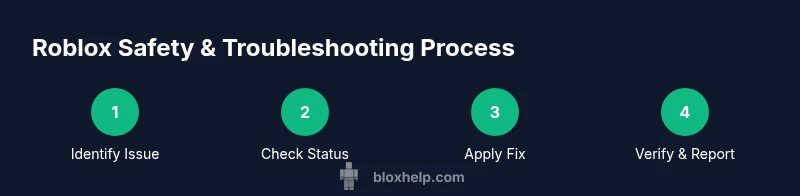
Roblox issues like login errors, lag, or crashes can disrupt a session but are often solvable with a steady process. Start by verifying your account status and internet connection, then attempt a clean sign-in. If problems persist, check Roblox’s official status page and the expected maintenance windows. Disable conflicting browser extensions, clear cache, and ensure your device meets the game’s performance needs. For persistent issues, collect error messages, timestamped screenshots, and the steps you took, and then reach out to official support with that evidence. A calm, methodical approach minimizes downtime and frustration.
Parental controls and family safety
Parental controls are a critical part of a safe Roblox experience for younger players. Use account guardians to set spending limits, approve purchases, and restrict chat features. Review in-game communication settings to limit interactions with strangers and enable reporting for inappropriate content. Regular conversations about online etiquette and safety expectations reinforce these controls and empower younger players to act responsibly. If you’re a parent, establish a routine for reviewing activity and discuss updates to privacy and safety settings as children grow.
Safe purchasing and Robux spending
In-game purchases should be intentional and within a pre-agreed budget. Teach players to recognize impulse buys and to use gifting or parental approval when possible. Use official Roblox channels for Robux purchases and avoid third-party sellers or shady discount schemes. Keep receipts and review purchase history periodically to catch unauthorized charges early. A transparent purchasing process helps preserve trust and prevents overspending or fraud.
Spotting scams and reporting suspicious activity
Roblox scams often mimic legitimate alerts or pressure users into sharing credentials. Be wary of unsolicited messages asking for passwords, account recovery codes, or verification links. If something looks suspicious, don’t click links or provide information. Use Roblox’s built-in reporting tools to flag abuse, and preserve any evidence (screenshots, chat logs) for review. Early reporting protects not just you but the broader community from malicious actors.
How to use official Roblox resources and support effectively
Rely on official sources for guidance, updates, and troubleshooting. Start at the Roblox Support site for articles, status updates, and contact options. Use the in-game Help and safety resources to learn about chat settings, privacy, and parental controls. When contacting support, provide clear details: your account name, device, approximate times, and a concise description of the issue. Following official channels improves response times and ensures you receive accurate assistance.
Getting started with Roblox development safely (if applicable)
If you’re exploring Roblox Studio, follow a safety-first approach: start with official tutorials, create test environments, and use version control when possible. Be mindful of sharing projects that may contain error-prone or unsafe scripts. Seek feedback from the community and rely on documented best practices to avoid introducing bugs or security risks into your games. A cautious, iterative development process helps you learn without compromising your projects or players.
Maintenance: ongoing checks and updates
A robust Roblox routine includes periodic checks of account security, privacy settings, and purchased items. Schedule a monthly review of device security, chat and privacy configurations, and any parental controls. Stay informed about policy changes or new features through official channels. A steady cadence of reviews ensures your Roblox experience remains safe, compliant, and fun over time.
Real-world checklist and quick-start template
To apply what you’ve learned, print or save a quick-start checklist: verify login status, enable 2FA, review privacy settings, set parental controls, monitor chat permissions, document issues with timestamps, and contact official support for unresolved problems. Modify the checklist to fit your family or team rules and keep it accessible for future sessions. This practical template helps you deal with Roblox consistently and confidently.
Tools & Materials
- Up-to-date Roblox app or official website access(Always use the official platform to avoid counterfeit pages or scams)
- Stable internet connection(Prefer a reliable connection; avoid public Wi-Fi for account security)
- Personal security tools (2FA, password manager)(Enable two-factor authentication and store passwords securely)
- Device with current OS and security software(Keep system updates enabled and security software active)
- Documentation for issues (screenshots, timestamps)(Helpful when filing official support requests)
Steps
Estimated time: 60-90 minutes
- 1
Assess your current Roblox setup
Review which devices you use for Roblox, what privacy settings are active, and whether parental controls are in place. Note recent issues or changes that triggered the need to deal with Roblox more carefully.
Tip: Document your baseline so you can measure improvement after applying changes. - 2
Secure your account with strong authentication
Enable two-factor authentication where available and craft a unique, long password. If your account was compromised recently, update credentials and review linked emails and recovery options.
Tip: Never reuse passwords across services; a password manager helps manage unique credentials. - 3
Enable parental controls if applicable
Turn on guardian controls, review spending limits, and adjust chat and friend settings to match safety needs. Explain the controls to younger players and revisit them periodically.
Tip: Set a recurring reminder to review controls after major updates or new game releases. - 4
Review and adjust privacy settings
Tighten who can communicate with you, who can join your games, and what personal information is visible. Keep profile details minimal to reduce data exposure.
Tip: Disable sharing of location data or device identifiers where possible. - 5
Identify issues and collect evidence
If you encounter a problem, note times, error messages, and steps taken. Capture screenshots or logs to speed up official support responses.
Tip: Organize evidence in a single folder for easy access during support requests. - 6
Follow official troubleshooting steps for common problems
Check Roblox status pages, confirm you’re on the latest version, and try standard fixes like clearing cache and re-authenticating. If the issue persists, escalate through official channels.
Tip: Always start with official guides before seeking third-party advice. - 7
Contact Roblox Support and report scams when needed
Reach out with a concise summary, account details, and evidence. Use the official support portal and avoid giving sensitive data through insecure channels.
Tip: Never share your password or recovery codes with anyone, including support reps. - 8
Establish a sustainable safety routine
Set a monthly safety check that reviews accounts, privacy, and purchases. Keep everyone informed about policy changes and new features.
Tip: Treat safety as an ongoing practice, not a one-off task.
Questions & Answers
What is the best way to protect my Roblox account?
Prioritize a strong, unique password and enable two-factor authentication. Regularly review linked email addresses and recovery options, and stay vigilant for phishing attempts. Keep software updated and avoid sharing credentials.
Protect your Roblox account with a strong password, two-factor authentication, and careful monitoring for phishing attempts.
How can I enable and use parental controls on Roblox?
Enable guardian controls and set spending limits, chat restrictions, and join settings appropriate for the player's age. Review and adjust these controls as needed and discuss them with the child to ensure understanding.
Turn on guardian controls, set spending and chat limits, and regularly review settings with the child.
What should I do if Roblox won't load or is laggy?
Check Roblox status pages, verify you’re on the latest version, and test on a stable network. Clear cache, sign out and back in, and reduce in-game graphics if needed. If problems persist, consult official support with your error details.
Check status, update, and test on a stable network. Clear cache and contact support if issues continue.
How do I report scams or suspicious activity in Roblox?
Use Roblox’s built-in reporting tools to flag suspicious messages or accounts. Preserve evidence like screenshots and chat logs, and avoid engaging with scammers. Report promptly to minimize impact on others.
Flag suspicious activity in the official tools and preserve evidence for review.
Is it safe to buy Robux from third-party sellers?
Purchasing Robux from third parties is risky and often violates Roblox policies. Stick to official channels to avoid scams and potential account suspension or loss of funds.
Avoid third-party Robux; use official channels to stay safe and compliant.
Where can I find official Roblox support and resources?
Visit the official Roblox Support site for articles, status updates, and contact options. Use in-game Help and safety resources for quick guidance on privacy and safety settings.
Access official Roblox Support for updates and help, plus in-game safety resources.
Watch Video
The Essentials
- Define clear Roblox goals and safety boundaries.
- Secure the account and device with best practices.
- Troubleshoot using official resources and documented steps.
- Maintain ongoing privacy awareness and safety routines.