How to Deal with Roblox Exploiters: Practical Guide
Learn how to deal with roblox exploiters with a layered defense: detect, document, report, and secure your games. Practical steps, safety tips, and long-term prevention from Blox Help.


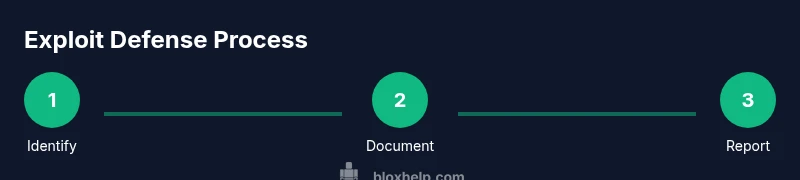
According to Blox Help, how to deal with roblox exploiters involves a layered approach: identify suspicious behavior, document evidence, report to Roblox, and mitigate damage while strengthening your game’s defenses. You’ll also learn server-side validation, secure RemoteEvents, and how to set up moderation workflows. This quick guide sets up practical steps, safety best practices, and a plan for ongoing prevention.
How to deal with roblox exploiters: fundamentals and safeguards
Dealing with roblox exploiters starts with understanding what constitutes an exploit and why it threatens your game and players. In practice, you’ll want a layered approach that combines technical controls, community management, and documented incident response. The goal is to reduce opportunities for abuse while maintaining a welcoming experience for legitimate players. This section introduces the core concepts behind how to deal with roblox exploiters and outlines the safeguards you should implement from day one. You’ll learn to distinguish between accidental glitches and deliberate exploitation, and you’ll set expectations for your moderation team and players. By thinking ahead, you can minimize damage and speed up recovery when an exploitation attempt occurs.
Why exploiters succeed: psychology and system weaknesses
Exploiters often succeed where systems rely on client-side checks or unsaved server states. They look for unvalidated inputs, predictable RemoteEvent names, and loopholes in permissioning. Understanding why these weaknesses exist helps you design defenses that are resilient. For Roblox games, the most common vectors involve exploiting RemoteEvents, manipulating DataStores, or queuing unauthorized actions through poorly secured admin modules. By acknowledging the human and technical factors behind exploitation, you can create practical safeguards that don't degrade player experience. The bottom line is to assume malicious intent and enforce robust server-side logic, audited permissions, and consistent logging so you can detect anomalies early.
Common exploit techniques and how they affect games
Typical exploits include speed hacks, teleport manipulation, unauthorized command execution, RemoteEvent abuse, and GUI manipulation. These exploits can inflate or steal currency, grant invisible admin powers, or crash servers. The impact ranges from a temporarily privileged user gaining advancement to a full game shutdown for all players. Defenders should treat each technique as a potential vector and design defenses that isolate the client from critical operations, validate all input on the server, and maintain an auditable action log.
Detecting signs of exploitation in your game
Look for unusual player behavior such as sudden, impossible stat changes, repeated teleports to restricted areas, rapid-fire actions, or events firing outside intended sequences. Anomalies in data stores, frequent remote calls from a single source, and spikes in error logs are red flags. Set up automated alerts for suspicious patterns and establish a baseline of normal activity so you can flag deviations quickly. Early detection is the cornerstone of preventing widespread damage.
Gathering evidence responsibly and ethically
When you suspect exploitation, collect time-stamped evidence like clips, server logs, and reproducible steps. Preserve the exact in-game conditions, player IDs (where appropriate and compliant with privacy rules), and any configuration changes. Avoid sharing sensitive data publicly; use private channels for review. A well-documented trail makes reports to Roblox more credible and speeds up investigation, while also informing your internal post-incident review.
Immediate mitigation steps you can take today
If exploitation appears imminent, pause or suspend affected game modes, disable problematic RemoteEvents, and revert to a known-good version. Temporarily raise permissions restrictions for admins, and enable temporary monitoring. Communicate clearly with your player base about the reason for temporary changes to minimize confusion. Quick containment reduces damage and buys time for a proper patch.
Reporting to Roblox and community moderators
Submit a detailed report to Roblox with the gathered evidence, including reproduction steps, affected services, and timestamps. Share the incident with your moderation team and community leaders to coordinate a response plan. Provide guidance for players on how to report suspicious activity and how to interpret in-game alerts. Timely reporting helps limit exploitation’s reach and protects the broader Roblox ecosystem.
Strengthening architecture: server-side validation and safe communications
Prioritize server-side validation for all critical actions. Do not trust client-side checks alone. Use dedicated RemoteEvents with strict permission gates and verify every request on the server. Sanitize inputs, validate game state changes, and isolate admin commands behind strong authentication. Regularly review and update your access controls, event wiring, and error handling to reduce future footholds for exploiters.
Moderation policies and player education for resilience
Clear rules and responsive moderation create a safer environment that discourages exploitation attempts. Publish a concise code of conduct, explain how to report abuse, and show examples of unacceptable behavior. Provide player-friendly channels for reporting and ensure moderators have the tools to act swiftly. Education reduces repeat offenses and builds community trust.
Creating an incident response plan and practice routine
Develop a formal incident response plan that defines roles, escalation paths, and communication templates. Schedule quarterly tabletop exercises to simulate exploitation incidents and verify your detection, reporting, and remediation workflows. A practiced plan shortens recovery time and reinforces security discipline across your team.
Maintaining long-term health: audits, updates, and community training
Regularly audit security configurations, permissions, and data flows. Keep Roblox APIs and asset protection measures up to date with platform changes. Train new moderators with scenario-based guidance and maintain a feedback loop from players to security and development teams. Ongoing learning is essential to stay ahead of evolving exploit techniques.
Tools & Materials
- Roblox Studio(Used to implement and test server-side logic and remotes)
- Access to game/project source(Needed for auditing and patching)
- Moderation dashboard / admin UI(For quick action during incidents)
- Logging and monitoring tools(Capture RemoteEvent usage and anomalies)
- Evidence collection kit(Clips, logs, steps, timestamps)
- Communication templates(Pre-written messages for players and staff)
Steps
Estimated time: 60-90 minutes
- 1
Identify suspicious activity
Observe for anomalies that violate expected game rules. Compare against baseline metrics and check for unexpected state changes.
Tip: Use automated alerts to catch patterns early. - 2
Collect evidence
Gather logs, clips, and reproducible steps with precise timestamps. Document affected services and versions.
Tip: Keep evidence in a secure, private channel. - 3
Pause or mitigate risk
If needed, temporarily disable problematic RemoteEvents or game modes to prevent further harm.
Tip: Communicate clearly to players about the temporary change. - 4
Report to Roblox and moderators
Submit a detailed report with evidence and a reproducible scenario. Include impacted components and dates.
Tip: Follow Roblox guidelines for reporting. - 5
Patch and validate
Patch the vulnerability on the server, add validation, and verify fixes by reproducing the exploit in a test environment.
Tip: Retest with multiple accounts and roles. - 6
Review and educate
Update moderation policies, educate players on reporting, and adjust rules to prevent recurrence.
Tip: Document lessons learned for future incidents.
Questions & Answers
What counts as an exploit in Roblox?
An exploit is any action that bypasses intended game rules or security measures. This includes unauthorized access, state manipulation, or triggering server-side actions from the client without proper validation. Distinguishing between glitches and deliberate exploitation is essential for a proper response.
An exploit is when a player bypasses game rules or security to gain unfair advantage or disrupt service.
How do I report exploiters to Roblox?
Gather logs, clips, and a reproducible scenario, then submit a detailed report through Roblox Support or the Creator Marketplace reporting channels. Include timestamps, affected services, and the steps to reproduce the exploit.
Collect evidence and report through Roblox Support with clear steps to reproduce.
Will Roblox punish exploiters retroactively?
Roblox reviews reports and enforces actions according to their policies. Outcomes depend on evidence quality and policy alignment. Stay informed of any updates to moderation guidelines to manage expectations.
Punishments depend on policy and evidence; outcomes vary.
Is there a safe way to test defenses?
Yes. Use a controlled test environment with accounts that mimic real players, avoid impacting live users, and verify fixes before deploying to production. Document test outcomes for future reference.
Test in a controlled environment to avoid impacting players.
Educating players on reporting
Provide clear guidance on what to report, how to capture evidence, and where to submit reports. Encourage timely reporting and explain how it helps keep communities safe.
Teach players how and where to report suspicious activity.
Watch Video
The Essentials
- Identify and document every incident.
- Implement server-side checks and moderation.
- Report promptly and maintain evidence.
- The Blox Help team recommends a layered defense.