How to Deal with Roblox Hackers: A Practical Guide
Learn proven steps to protect your Roblox account from hackers, recover your assets, and prevent future breaches with practical guidance and safety best practices.


In this guide, you will learn how to deal with Roblox hackers: identify symptoms, secure your account, recover assets, and prevent future breaches. You'll need access to your Roblox account, email, and a trusted device; enable two-factor authentication, review recent activity, and report incidents. This steps-based approach helps you regain control safely.
What counts as a Roblox hack and why it's dangerous
Roblox hacks can range from unauthorized logins and item theft to in-game exploits that alter your gameplay. Understanding what constitutes hacking helps you respond quickly and limit damage. If you’re asking how to deal with roblox hackers, start by recognizing common signs: unfamiliar login locations, unexpected purchases, changes to your account email or password, and unfamiliar games appearing in your activity log. According to Blox Help, early warning signals are your first line of defense and can dramatically reduce the harm hackers cause. Hackers often target accounts with weak passwords, reused credentials, or recovery options that aren’t secured, making timely action essential.
Next, be mindful that some incidents resemble glitches or ordinary scams. Always verify through official Roblox channels before taking drastic steps. By understanding the difference between a routine bug and a security breach, you can prioritize responses and avoid unnecessary data loss.
Immediate steps you should take the moment you suspect a hack
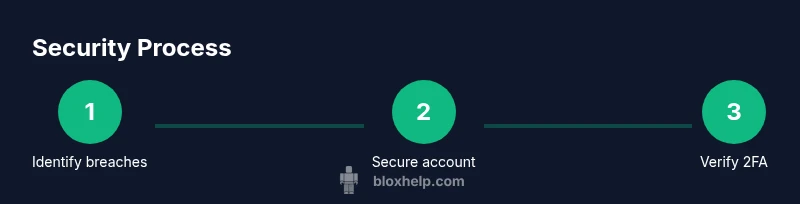
When you suspect a hack, speed matters. Start by pausing any in-game purchases, logging out of all devices, and inspecting the recent activity section for unfamiliar logins or changes. Change your password from a secure device, and make sure your new password is long, unique, and not used on any other site. If you see new linked emails or phone numbers, update them immediately. Enable two-factor authentication (2FA) to add a second barrier against intruders. Finally, document the incident: take screenshots of suspicious activity and note dates, times, and affected games. This documentary record will help Roblox support and, if needed, law enforcement.
How hackers typically gain access and common attack vectors
Hackers may use phishing links, fake login pages, or social engineering to steal credentials. Keyloggers or malware on a computer can capture passwords entered during Roblox sessions. Credential stuffing occurs when attackers try leaked passwords across multiple sites. Roblox accounts with linked email access or weak recovery options are especially vulnerable. Malicious third-party apps that request your Roblox credentials can also compromise your account. Staying aware of these vectors helps you strengthen weak points before an attacker moves in.
How to secure your Roblox account: password hygiene and two-factor authentication
Strong password hygiene is the foundation of security. Use a password manager to generate and store unique passwords for Roblox and related services. Avoid common phrases, personal information, and reused passwords. Turn on 2FA via the Roblox account settings or an authenticator app. If you can, require 2FA for both login and changes to security settings. Regularly review linked email addresses and phone numbers, and remove any you don’t recognize. Periodically test that 2FA is working by signing out and signing back in with the code.
How to recover a hacked account and recover assets
Recovery begins with identity verification. Contact Roblox support and provide your account username, the last known secure email, and a description of what changed during the breach. If you’ve lost items or Robux, document what you believe was acquired and when. Check your purchase history for unauthorized charges and request reversals where possible. If your account is permanently compromised, explore options for account recovery using a connected email or phone number. Keep your receipts and transaction IDs for reference.
Safe play habits and parental controls (for younger players)
Young players benefit from structured safety measures. Enable parental controls and restrict who can trade or gift items, and limit in-game chat to friends or teammates. Teach kids not to share passwords or codes, and to report suspicious messages to a trusted adult. Use two-factor authentication for the parent account and require kids to sign out after playing. Regularly review account activity together so children learn to spot unusual changes without fear.
Using Roblox's built-in security features and reporting tools
Roblox provides several built-in tools to protect accounts. Use the security page to review connected devices and recent activity. Remove unfamiliar devices and revoke access from suspicious apps. If you encounter a suspicious game or user, use the report button to flag the issue. Roblox’s safety center offers guidelines on safe online behavior and how to report scams. Keeping a routine check on these tools makes it easier to stop intrusions early.
When to contact Roblox support and what information to provide
If you suspect a security breach, opening a Roblox support ticket promptly is crucial. Include your username, the approximate date and time of the breach, and evidence such as screenshots of unusual activity. Attach any relevant emails or messages received from Roblox or scammers. Describe what changed, including any unauthorized purchases or item transfers. The more detailed your report, the faster the support team can verify and assist you.
Preventive measures for developers and community safety within Roblox games
Developers should implement security-aware game design to reduce exploitable holes. Use server-side validation for critical actions, minimize trust in client-side data, and monitor for unusual player behavior. Encourage players to enable account security features, and provide clear reporting channels for cheats or hacks. Regularly update your games to patch vulnerabilities and communicate safety practices to the community. A proactive stance helps maintain a fair and fun Roblox ecosystem.
Long-term security habits and staying informed
Security is an ongoing practice. Schedule monthly reviews of your account activity, enable alerts for unfamiliar sign-ins, and maintain updated recovery options. Keep software up-to-date on all devices used to access Roblox, and run reputable anti-malware scans periodically. Subscribe to Roblox safety updates or reliable Roblox community sources to stay informed about new threats and security recommendations. By forming consistent habits, you reduce risk and protect your ongoing Roblox journey.
Tools & Materials
- Roblox account login credentials(Username and password; do not store in plain text)
- Secure email access(Access to the email used for Roblox verification)
- Authenticator app or SMS access(For 2FA codes)
- Trusted device(s) and browser(Prefer device you own)
- Password manager(To generate and store strong passwords)
- Backup recovery codes(Store securely offline)
Steps
Estimated time: 60-120 minutes
- 1
Pause activity and review recent login activity
Immediately pause ongoing play sessions if you suspect a breach. Review the recent activity log for unfamiliar devices, times, or locations. Note anything suspicious before proceeding.
Tip: Document dates and device names in a secure note. - 2
Change your password to a strong, unique one
Create a new, long password that isn’t used anywhere else. Use a password manager to store it securely. Avoid common phrases and personal details that hackers could guess.
Tip: Don’t reuse passwords across sites. - 3
Enable two-factor authentication (2FA) on Roblox and email
Turn on 2FA for both Roblox and your connected email. Use an authenticator app instead of SMS if possible for better security. Validate that new codes are required for login and changes.
Tip: Keep backup codes in a secure place. - 4
Revoke access for unfamiliar apps and sessions
In Roblox settings, review connected apps and revoke any you don’t recognize. Sign out from all sessions and then sign back in on your trusted device only.
Tip: Regularly audit connected apps. - 5
Verify recovery options and update as needed
Ensure your email and phone number are current and secure. Remove outdated recovery options. Add a secondary email if available for redundancy.
Tip: Test recovery flow to ensure access. - 6
Check account items and purchases; request reversals
Review purchase history for unauthorized items or Robux transfers. Contact support to reverse charges or recover assets where possible.
Tip: Keep receipts and IDs handy. - 7
Report the incident to Roblox and preserve evidence
Submit a detailed report to Roblox Support with dates, times, and screenshots. Include any suspicious messages or emails you received.
Tip: Attach clear visual evidence. - 8
Review and strengthen parental controls (if applicable)
Adjust controls to limit trades, chat exposure, and sharing of personal data. Establish guardrails suitable for younger players.
Tip: Set expectations for account sharing and safety. - 9
Set up ongoing monitoring and backup codes
Create a routine for monthly checks of activity and device access. Store backup codes offline and refresh security settings periodically.
Tip: Automate reminders to review security settings.
Questions & Answers
What counts as hacking in Roblox and why should I care?
Hacking includes unauthorized logins, item theft, or exploiting in-game systems. It can lead to loss of items, Robux, and access. Quick, informed action limits damage and helps you recover faster.
Hacking means someone else accessed your account or manipulated items. Act quickly to limit damage and recover control.
How can I tell if my Roblox account is compromised?
Look for unfamiliar logins, sudden purchases, changed passwords or emails, and new devices connected to your account. Check purchase history and recent activity for anything you didn’t do.
Unfamiliar logins, unexpected purchases, or changes to your account indicate a compromise. Review activity and secure your account.
What should I do first after suspecting a hack?
Pause activity, change your password, enable 2FA, review devices, and document everything before contacting support.
Pause activity, secure your password, enable 2FA, and document what happened before reaching out for help.
How do I recover a hacked Roblox account?
Contact Roblox Support with your username, last secure email, and details of what changed. Provide screenshots and purchase history to verify ownership.
Reach Roblox Support with proof of ownership and the breach details to start recovery.
Does Roblox offer security tools I should use?
Yes. Roblox provides account security features and a Safety Center with reporting options. Use these tools to monitor activity and report scams.
Roblox has built-in security features and a safety center to help you stay safe.
Can I prevent hacks on mobile and PC?
Yes. Keep devices updated, use 2FA, avoid third-party apps asking for Roblox credentials, and follow safe browsing practices.
Keep devices updated, enable 2FA, and avoid apps that request your Roblox login.
Watch Video
The Essentials
- Secure your login with unique passwords and 2FA.
- Audit activity and revoke suspicious sessions promptly.
- Document incidents and contact Roblox support quickly.
- Educate household about safety practices and parental controls.
- Establish ongoing monitoring for long-term protection.