How to Message People on Roblox: A Step-by-Step Guide
Learn how to message people on Roblox with practical steps, etiquette, and safety tips. This guide covers privacy settings, how to start a message, and sensible follow-ups.


To message someone on Roblox, you’ll use the platform’s built-in messages or in-game chat. Ensure privacy settings allow messages, and you’re interacting respectfully. Start by finding the user’s profile and selecting the messaging option, then compose a concise note and send. If messaging isn’t available, try joining a shared game or group to connect.
Understanding Roblox messaging: what it can and can't do
Roblox is built around community and collaboration, and messaging is a key way to coordinate play, share ideas, and form teams. This section explains what messaging lets you do and where its limits lie. You can typically send direct messages to other players through built-in channels, especially when both parties have allowed communication. Availability depends on privacy settings and age-related controls, so expectations should be realistic. For beginners, the main goal is to be clear, friendly, and respectful rather than pushing for rapid replies. Start by confirming that you can message the other person at all, which depends on their privacy preferences and your in-game interactions. If you’re unsure, begin with a simple greeting tied to a game or event you both enjoy. This approach sets a positive tone and increases the chance of a helpful response. Whether you’re a casual player or a developer in training, knowing the basics of Roblox messaging helps you connect more efficiently while avoiding friction. The Blox Help team emphasizes safety: never press for personal information, and avoid sharing sensitive details in initial messages.
Privacy, safety, and age considerations
Roblox’s safety framework includes privacy safeguards designed to protect players, especially younger users. Before sending your first message, consider who can receive messages, what information is appropriate to share, and how you will handle responses. Respect a player’s decision if messages are blocked or if they prefer not to engage through chat outside public settings. If you manage a family account or a group, review privacy settings and the platform’s safety recommendations. The goal is to avoid sharing personal identifiers, location details, or real-world contact methods in initial messages. Always use in-game language that is friendly, constructive, and focused on the gameplay experience. For younger audiences, moderators may limit messaging features to keep interactions safe. If you hit a restriction, explore other ways to connect, such as joining the same game, participating in a group discussion, or coordinating via a parent-approved account. Following safety best practices reduces risk and improves your chances of a helpful reply.
Who can receive messages and how to request contact
Messaging access varies by user settings and in-game relationships. Some players may receive direct messages from friends or approved contacts, while others may restrict messaging entirely. To request contact, identify a mutual game, group, or event where both players are active. Always approach with a brief, friendly message that references common interests and avoids sensitive topics. If the recipient doesn’t respond, don’t repeatedly message; wait a reasonable amount of time and consider alternative ways to engage, such as public chats related to the game or coordinated group activities. Remember that consent and comfort are important: if someone indicates they don’t want to chat, respect their choice and move on to other players who are open to conversation. By respecting boundaries, you maintain a welcoming Roblox community for everyone.
Crafting a respectful initial message
The first message sets the tone for future interactions. Keep it short, friendly, and game-focused. Introduce yourself briefly, mention shared experiences, and invite a simple response. Avoid asking for personal information or sharing outside links in the initial message. Here is a safe example structure: a brief greeting, reference to a common game, a specific question or request related to the game, and a polite closing. Personalize the message to show genuine interest, but don’t overstep privacy boundaries. If the user has indicated a preference to avoid messages, respect that choice. Tailor your language to be encouraging and constructive, especially when asking for help, collaboration, or feedback. A well-crafted opening increases the odds of a positive and timely reply, and it helps you build rapport with other players and potential collaborators.
Common mistakes to avoid when messaging
Several pitfalls commonly derail Roblox conversations. Avoid sending lengthy walls of text, sharing real-world contact details, or pressuring others to respond quickly. Don’t use aggressive language, sarcasm, or personal remarks that could be misinterpreted. If you’re unsure about the appropriateness of content, pause and reframe your message to focus on the game or project at hand. Refrain from spamming or sending the same message to multiple players in quick succession, which can be perceived as disrespectful. Always consider the recipient’s privacy settings and the context of your relationship. Mistakes like asking for favors beyond the context of the game or discussing sensitive topics can lead to blocks or reports. By staying concise, relevant, and respectful, you improve your chances of constructive replies and positive community experiences.
How to handle responses and maintain healthy interactions
When someone replies, acknowledge their message promptly with appreciation and a relevant follow-up. Keep the conversation game-centered and light, gradually expanding topics only as appropriate. If the chat becomes unproductive or uncomfortable, politely steer it back to gameplay or end the conversation. For ongoing collaboration, establish clear expectations about timing, goals, and roles. If you receive negative feedback, reflect on your approach and adjust accordingly. Remember that tone and intent matter: what you say publicly in Roblox can influence how others perceive you and your team. If communication stalls, propose a short next step, like coordinating in a specific game session or sharing a resource related to the game. Healthy exchanges contribute to a positive Roblox experience for everyone involved.
Alternatives and when to use them
If direct messaging isn’t available or appropriate, there are alternatives to connect with other players. Consider joining the same game, participating in in-game chats, or coordinating through a group or clan. You can also use public forums or comment areas related to a game to share ideas or ask questions, keeping content respectful and on-topic. For players who cannot message directly, mutual friends or group leaders can facilitate introductions. Always choose communication channels that align with the community guidelines and age considerations. When used thoughtfully, these alternatives can still help you build meaningful connections without requiring private messages.
Troubleshooting common messaging issues
If you encounter problems sending messages, start by checking your privacy settings and ensuring you’re both allowed to communicate. Verify that you’re not attempting to contact someone who has blocked messages or who has not granted permission for direct messages. Sometimes outages or platform updates temporarily affect messaging features; in these cases, trying again later or using an alternative channel within the same game can help. If a user reports harassment or you experience offensive messages, use the report tools and block features provided by Roblox. Document the issue and follow the platform guidance for safety. By staying patient and adhering to community rules, you can resolve many common messaging problems without escalating conflicts.
Best practices from Blox Help for Roblox messaging
According to Blox Help, successful Roblox messaging hinges on clarity, safety, and respect. Start with a friendly greeting that ties into a shared experience, keep content appropriate for all ages, and avoid sharing personal information in early messages. If privacy settings limit direct messages, seek alternatives like joining the same game or coordinating through a group. The Blox Help Editorial Team emphasizes ongoing learning: observe player feedback, adjust your approach based on responses, and always prioritize community safety. As you gain experience, you’ll craft messages that are concise, respectful, and constructive, helping you build friendships and collaborative projects on Roblox.
Tools & Materials
- Roblox account with access to messaging(Make sure you can view and use the messaging option on your account)
- Device with Roblox app or a web browser(Stable internet connection is recommended)
- Working internet connection(Essential for sending and receiving messages)
- Optional: Friend list or group access(Can help if direct messaging is limited)
Steps
Estimated time: Estimated total time: 5-10 minutes
- 1
Find the recipient’s profile
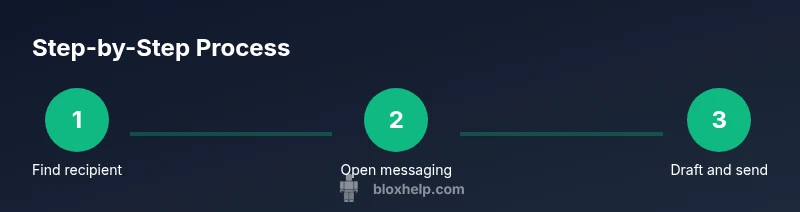
Open Roblox on your device, use search or navigate by username to locate the person you want to message. Make sure you have the correct spelling to avoid sending to the wrong user. If you can’t find them, consider asking in a mutual group or server for an introduction.
Tip: Double-check the username and any recent activity to confirm you’re messaging the right person. - 2
Open the messaging option
On the person’s profile, look for the messaging action or button and select it to begin composing your message. If the option isn’t visible, it may be due to privacy settings or age restrictions. In that case, try a shared game or group communication channel.
Tip: If you don’t see a message button, don’t press; try alternative contact paths like in-game coordination. - 3
Draft a concise message
Write a brief introduction, reference a mutual game or goal, and pose a clear question or request related to the gameplay. Avoid sharing personal information or links in the first message. Keep the tone friendly and constructive.
Tip: Aim for 1–3 short sentences and a single call to action. - 4
Send and monitor response
Send the message and wait for a reply. If you don’t receive one within a reasonable time, avoid sending multiple follow-ups in quick succession. Give the other player space and consider engaging through a public channel if appropriate.
Tip: If there’s no response after a few days, switch to a different game or group contact method. - 5
Respect safety and boundaries
If the recipient asks to stop messaging or blocks you, respect their choice. Do not pressure or escalate. Report any harassment per Roblox policies and adjust your approach for future messages.
Tip: Always prioritize safety and community guidelines over persistence.
Questions & Answers
Can I message anyone on Roblox?
Messaging availability depends on privacy settings and age controls. Some users may restrict messages from non-friends or non-approved contacts. If it’s allowed, you can try reaching out with a short, game-related message.
Messaging on Roblox depends on privacy settings; if allowed, use a short, game-related message.
Why can’t I message a user?
The user may have messaging disabled or restricted by privacy settings, age, or account status. In some cases, platform maintenance can affect messaging features temporarily.
Messaging can be blocked by the recipient's settings or temporary platform issues.
What should I do if someone harasses me via messages?
Do not engage. Use the report or block features and follow Roblox safety guidelines. If needed, contact a parent or guardian for support.
If harassment happens, report it and block the user. Seek support as needed.
Are there age-related messaging rules I should know?
Messaging rules can vary by age and location. Always follow Roblox safety policies and avoid sharing personal information in initial messages.
Young players should follow safety policies and avoid sharing personal details.
Watch Video
The Essentials
- Clarify purpose before messaging.
- Respect privacy and boundaries at all times.
- Keep messages concise and game-focused.
- Use alternatives if direct messaging isn’t available.