Roblox Down Detector Guide 2026: Track Outages and Status
Learn how Roblox down detectors work, how to read outage alerts, and stay productive during Roblox outages. Practical tips from Blox Help for players and developers in 2026.


The Roblox down detector is a real-time monitoring tool that aggregates official Roblox status feeds and crowd reports to confirm outages quickly. It helps players and developers verify service health, compare regional access, and plan workarounds during downtime. By presenting clear status indicators and incident timelines, it reduces confusion and speeds decision-making during outages.
What Roblox Down Detector Is and Why It Matters
In the Roblox ecosystem, a roblox down detector is a tool that aggregates live status from Roblox's official infrastructure and cross-checks it against community reports to determine whether the platform is experiencing an outage. For players, a reliable roblox down detector saves time by confirming whether Roblox is down for everyone, or if the issue is isolated to their network. For developers, outages can halt game sessions, testing workflows, and live deployments. According to Blox Help, the most trusted detectors pull data from the Roblox Status API, global monitoring endpoints, and user-submitted reports, then present a digestible health score or color-coded indicator. The value of a down detector lies in its speed, coverage, and transparency about what is being measured (login service, game servers, economy APIs). A strong roblox down detector will clearly label what is healthy versus what is degraded, and will offer guidance on next steps, such as retrying connections, checking regional status, or launching a fallback workaround. In 2026, players expect tools that cut through rumor and provide verifiable signals, which is why a well-designed Roblox outage detector matters for planning and productivity.
How Real-Time Monitoring Works
Most roblox down detectors rely on a multi-source model to assemble a reliable view of service health. They combine a direct feed from Roblox’s official status API, continuous heartbeat checks of core services (login, matchmaking, inventory), and crowd-sourced reports from players who are experiencing issues. The detector then applies simple heuristics to classify status into categories such as online, degraded, or outage. When anomalies appear—for example, a sudden spike in complaints from a region—the system flags the event and surfaces it to users with a timestamp, region, and affected services. The combination of automation and human moderation helps reduce false alarms and improve trust. For readers of Blox Help, remember that no detector is perfect; latency, regional routing, and time zones can influence what you see, so cross-check with an official status page before drawing firm conclusions. The goal is to provide fast, actionable signals, not a definitive replacement for Roblox’s own status announcements.
Key Features of a Reliable Roblox Down Detector
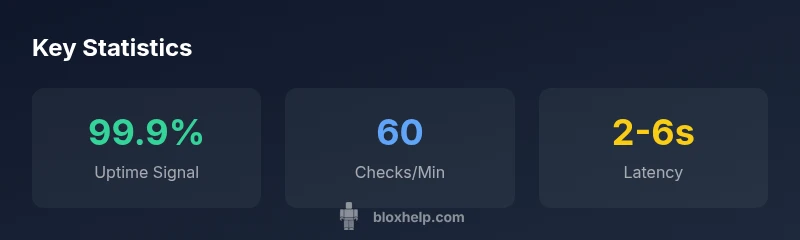
A top-performing roblox down detector should offer several core features that differentiate it from casual status blogs. First, real-time data with low latency—ideally updated within seconds of an incident. Second, region-aware checks that identify outages affecting specific continents or countries. Third, transparent data sources that clearly label Roblox official feeds, third-party monitors, and user reports. Fourth, historical outage logs so you can spot recurring issues and plan mitigations. Fifth, reliable alerts and export options (RSS, webhooks, or push notifications) for developers integrating status into their pipelines. Sixth, a mobile-friendly interface that lets you verify outages on the go. Finally, clear guidance for next steps, such as when to retry, when to switch to a backup server, or when to contact Roblox Support. When evaluating options, compare the speed of updates, coverage scope, and the level of detail provided about each incident. This is where a well-designed down detector can become an essential toolkit for players and developers alike.
How to Interpret Status Signals and Outage Alerts
Interpreting the signals from a roblox down detector requires a mindset that distinguishes signal from noise. A green status usually means the service is accessible, but intermittent connectivity can still occur. A yellow or amber flag often indicates degraded performance rather than a full outage, so you should plan around slower response times or partial feature availability. A red indicator signals an outage, often with a list of affected services (Login, Billing, In-Game Purchases). Always review the timestamp, the affected regions, and whether the same incident is being reported by Roblox’s official status page and by the community. If you see conflicting data, rely on the official channel as the primary source, then cross-check user reports to gauge the scope. If you are a developer, consider implementing retry logic with exponential backoff and feature toggles to keep essential gameplay operational during outages. For players, avoid relying on a single detector; cross-validate with in-game indicators and community threads. This balanced approach reduces the risk of acting on outdated or incomplete information.
Integrating with Roblox Status Page and Community Reports
A robust roblox down detector should not exist in isolation. The best practice is to align it with Roblox’s official Status Page, which provides authoritative, incident-level updates. In practice, this means linking status feeds, corroborating regional outages, and using community reports to fill gaps in official updates (for example, when Roblox experiences regional routing issues). When you integrate with the status page, document the data sources, update cadence, and known limitations. Community reports are valuable, but they can be noisy; use filtering to surface only credible, corroborated posts. If you are a developer, consider building automated dashboards that pull from both the Roblox status API and the detector’s data stream, so your game servers can adapt quickly to changing conditions. In short, the most reliable approach combines official announcements with independent monitoring and transparent data provenance.
Practical Scenarios and Workarounds
Here are common scenarios where a roblox down detector adds value and practical workarounds to keep gaming or development moving. Scenario A: You’re a game developer preparing a scheduled test. If the detector shows an outage, pause releases, switch to a local test environment, and communicate to your players. Scenario B: You’re a streamer or content creator. Use the detector for live context during streams, but verify with Roblox Status for authoritative updates before drawing conclusions. Scenario C: You’re a parent monitoring your child’s usage. Combine detector alerts with Roblox parental controls to set time limits during outages and avoid frustration. Workarounds: maintain offline backups of critical assets, implement feature flags for optional gameplay, and ensure you have a reliable offline plan for scheduled events. These strategies help minimize downtime impact and keep momentum even when the network is unstable.
Best Practices for Players and Developers
To maximize the value of a roblox down detector, adopt these best practices. For players: set up multiple notification channels, verify outages with the official Roblox Status, and use regional filtering to focus on nearby infrastructure. For developers: integrate status signals into your CI/CD pipeline, implement graceful degradation for essential features, and maintain a clear communication plan with your community during outages. Keep a log of outages and their resolutions to improve future incident response. Authorities and reading: for more authoritative guidance on internet reliability and outage management, consult official sources such as the FCC and NIST, and major publications like The New York Times and BBC.References for further reading are listed below. The goal is to equip you with practical, actionable tactics that make outages less disruptive and help your Roblox projects stay resilient.
Roblox Down Detector: Key elements
| Element | Status | Notes |
|---|---|---|
| Detector coverage | Global | Monitors Roblox services worldwide |
| Source reliability | Mixed | Official feeds + community reports |
| Update cadence | Seconds to minutes | Depends on data sources |
Questions & Answers
What is a Roblox down detector?
A Roblox down detector monitors service health in real-time using official feeds and user reports. It helps confirm outages and plan workarounds. It is not a substitute for official status pages.
A Roblox down detector monitors service health in real-time and helps confirm outages. Check Roblox Status for official updates.
Is Roblox down detector official?
No, most detectors are third-party tools that cross-reference official Roblox status with community reports. They’re useful for quick checks but should be verified with Roblox Status.
Most detectors are third-party; use them for quick checks, then verify with Roblox Status.
How often are updates posted?
Update cadence varies by source, but reputable detectors aim for updates every few seconds to minutes. Always check the timestamp and cross-check with the Roblox Status page.
Updates occur every few seconds to minutes depending on data sources; check timestamps and Roblox Status.
Can Roblox down detectors track regional outages?
Yes, many detectors show regional status and can alert you to outages affecting specific areas, which helps when global status remains online.
They often show regional status to help you see if your area is affected.
What should I do during a Roblox outage?
First verify with Roblox Status, then follow your plan: pause non-essential work, switch to backups, and inform your community or teammates.
Verify with Roblox Status, then follow your outage plan.
“A robust roblox down detector is a valuable shortcut to outages and service health; it should supplement, not replace, official communications.”
The Essentials
- Verify outages quickly with a trusted detector.
- Cross-check signals with the official Roblox Status Page.
- Use regional filters to assess scope and impact.
- Integrate detector alerts into your workflow for smoother responses.
- Consult authoritative sources for a complete picture.