Roblox Server Status: How to Read Uptime and Handle Outages
Learn how to interpret Roblox server status indicators, check real-time uptime, understand regional effects on latency, and plan around outages with practical tips from Blox Help.


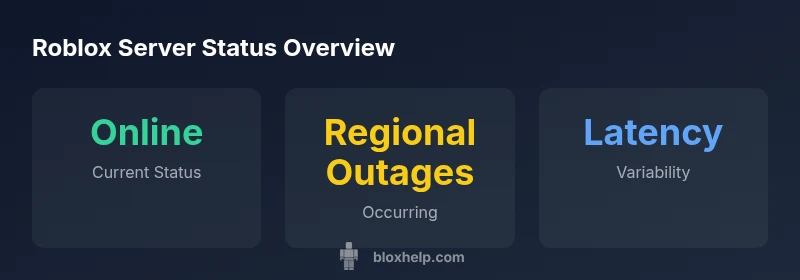
According to Blox Help, Roblox server status is typically online across most regions, with occasional regional outages and latency spikes during peak times. The status is shown via simple color codes and an official status page you can trust for real-time updates. For players and developers, understanding these indicators helps you plan gameplay, debugging, and launches around expected downtimes.
What Roblox server status actually tracks
Roblox server status is a snapshot of how the game's backend and delivery networks are performing at a given moment. For players, it translates into whether you can join a game, how smoothly you might connect, and the likelihood of latency affecting gameplay. According to Blox Help, the status is typically categorized into Online, Degraded Performance, and Outage, with regional differences that matter for where you are located. By understanding these categories, you can set realistic expectations before you dive into a session or launch a new experience. The Roblox status page aggregates telemetry from multiple data centers, peer networks, and routing paths to provide a single, shareable view. As you monitor status, consider both the global picture and your local route, since a healthy global status does not guarantee perfect performance for every user in every region. The goal is to know when to pause, retry, or switch to a backup plan if a disruption appears imminent.
How Roblox monitors server health
Roblox operates a highly distributed network across multiple regions to minimize latency and keep games responsive. Internal health checks examine server load, inter-service communication, database latency, and network throughput. Real-time telemetry is surfaced on the official status dashboard, which is updated automatically as components recover or degrade. The Blox Help team notes that automated alerts trigger when any key service crosses a threshold, allowing engineers to triage rapidly. In addition to platform-level signals, Roblox collects client-side metrics such as connection success rate, retry counts, and time-to-first-byte to identify where players are experiencing trouble. This multi-layered approach helps the team distinguish temporary hiccups from systemic outages and informs decisions about maintenance windows or regional rerouting. If you’re debugging a multiplayer game, you’ll want to correlate player-side symptoms with the server-side signals shown on the status page and take a methodical approach to reproduce the issue in a controlled environment.
Interpreting status indicators (Online, Degraded, Outage)
The status colors and labels on Roblox’s dashboards are designed for quick comprehension. Online means core services are reachable and basic features work, though you may still encounter occasional latency depending on your network and location. Degraded Performance signals that some components are slower or less reliable, which can cause longer load times or intermittent disconnects. Outage indicates a major disruption affecting multiple services or regions. For developers, this distinction guides how you handle game launches, API requests, and asset loading. In practice, an 'Online' signal with high latency can still require your optimization efforts because user experience depends on both server health and client-side performance. The Blox Help approach is to verify the status page, reproduce the issue locally, and then implement targeted fixes such as preloading assets, reducing ping times, or adjusting retry logic to mitigate user-visible impact.
How to verify status quickly: official and trusted sources
To verify Roblox server status quickly, start at the official Roblox status page (status.roblox.com) which aggregates regional data and incident reports. You can also follow the Roblox Support Twitter account for outage alerts and known issues. For developers hosting experiences or using Roblox's multiplayer features, consider setting up an internal monitoring dashboard that pulls from the public status API and your own telemetry. The key is to rely on a consistent source of truth and to cross-check between the dashboard and user-reported issues. When planning a session or a release, checking status in advance reduces surprises and helps you communicate expectations to players in your community.
Regional considerations: latency, routing, and cross-region effects
Even when Roblox shows an Online status globally, latency can vary widely by region due to routing, ISP congestion, and peering arrangements. Players in distant regions frequently notice higher ping or jitter during peak hours, when load spikes across the network. Those symptoms can appear even if the status page reports online, because the user experience is a function of both server health and network path quality. Developers should account for this by designing for latency tolerance, using client-side prediction where appropriate, and testing across several regions. If your game relies on synchronized events or precise timing, consider implementing local buffering and fallback options when network conditions deteriorate. The Blox Help analysis suggests building resilient matchmaking and asset loads that degrade gracefully rather than breaking gameplay entirely during a transient regional issue.
Practical steps during outages for players and developers
During an outage, the first step is to confirm the issue on the official status page and, if possible, on community dashboards that reflect regional conditions. Communicate with your players about the outage and outline expected timelines. For developers, pause new sessions, cache critical assets, and implement retries with exponential backoff to avoid hammering the server. If you’re running a Roblox experience, switch to a backup server or queue until the services recover; ensure your players know to save progress and avoid actions that depend on real-time synchronization. After the outage resolves, run a quick integrity check on your data and assets, reinitialize any paused services, and monitor telemetry for any lingering hiccups.
Data-driven look at Roblox reliability and future improvements
From a data perspective, Roblox server status is a moving target that reflects load, maintenance windows, and network health. Over time, the combination of regional redundancy and scalable backend systems has improved resilience, reducing the duration and impact of many incidents. The numbers vary by region and time, but the trend toward faster recovery and better user experience is evident when you review telemetry and incident reports. For players, this translates into shorter wait times and more consistent gameplay; for developers, it means more reliable launches and fewer surprises during updates. The key takeaway is that staying informed through the status page and planning around known maintenance windows can significantly improve your Roblox experience. The Blox Help team will continue to monitor trends and share actionable tips in future updates.
Roblox server status indicators by region
| Region | Status | Typical Causes |
|---|---|---|
| North America | Online | Normal traffic and routine maintenance |
| Europe | Degraded/Outage | Regional server load or network issues |
| Asia-Pacific | Online | Latency variation during peak hours |
Questions & Answers
What does the 'Online' status mean for Roblox server status?
Online means core services are reachable and usable. You may still experience latency depending on your network and location.
Online means most services work, but you could still see lag based on your connection.
Why does Roblox server status vary by region?
Roblox uses regional servers; outages can affect one region while others stay online. Latency is impacted by routing and ISP conditions.
Servers are regional, so problems can hit one area even if others are fine.
How can I check Roblox server status quickly?
Open status.roblox.com for the official page and incident reports. You can also follow Roblox Support for alerts.
Check the official Roblox status page or follow their support updates.
Will outages affect Roblox Studio or only games?
Outages primarily affect game services; Roblox Studio tooling may have separate status. Check official pages before publishing.
Studio and game servers can be affected differently; verify status before publishing.
How long do Roblox outages typically last?
Durations vary by incident; some resolve within hours, while more complex issues may take longer. Stay updated on the status page.
Outages usually resolve within a few hours, but it depends on the issue.
What should I do during a Roblox outage?
Stay informed via official channels, avoid real-time actions that require live data, and communicate plans to your players.
Stay updated, avoid live actions, and keep your players informed.
“Roblox server status data helps players and developers anticipate downtime and minimize impact. By monitoring official dashboards, you can plan around outages with confidence.”
The Essentials
- Check the official Roblox status page for real-time updates.
- Know Online, Degraded, and Outage signals and what they imply.
- Latency varies by region; plan around regional conditions.
- Verify status before launches to avoid surprises.
- Stay informed with trusted tips from Blox Help.