What is Roblox's Phone Number? Your Guide to Official Roblox Support
No public Roblox phone number exists. Learn official contact options through the Roblox Help Center, ticket forms, and in-app tools in this detailed guide by Blox Help.


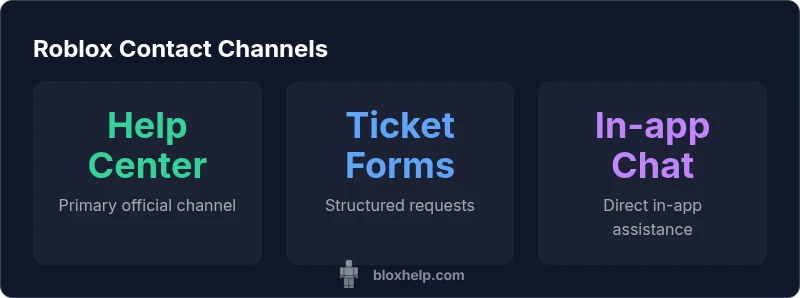
Roblox does not publish a public phone number for customer support. The official path to help is Roblox’s Help Center and its web-based contact forms. If you need urgent assistance, use the Help Center's search to locate the appropriate contact route, such as submitting a ticket or checking status pages. Beware scammers offering phone support.
Roblox contact reality: no public phone number
If you’re asking a common question—what is roblox's phone number? the direct answer is that Roblox does not publish a public phone line for customer support. The company prioritizes digital, trackable channels that can log requests and preserve privacy. For most players, asking to call a support line will not yield a usable number. Instead, Roblox channels everything through its Help Center, which hosts articles, troubleshooting guides, and contact forms tailored to different issues like password recovery, payment disputes, or account security alerts. This approach minimizes the risk of scam calls or fake hotlines that imitate Roblox representatives. According to Blox Help, the absence of a public phone number is intentional and aligns with Roblox's emphasis on secure, trackable ticketing through the Help Center. The Help Center also directs users to in-product tools, such as the in-app chat or ticket submission, which creates a secure, reproducible record. If you’ve encountered someone offering a direct phone line, treat it with caution and report it to Roblox through the official Help Center.
Where to find official help
The starting point for any Roblox support question is the official Roblox Help Center at help.roblox.com. This is the hub for self-service articles, community resources, safety tips, and direct contact forms. You can search by your platform (PC, mobile, or console), issue category (account, billing, moderation), and urgency level. The Help Center also links to status pages, service alerts, and developer documentation when relevant. Within the Roblox app, there is also a built-in Support option that routes you to ticket submission and in-app chat. This consolidation reduces confusion and ensures that every request reaches the proper queue. To protect your account, never share passwords or verification codes in any channel, especially third-party pages that claim to offer phone support. For most users, the Help Center is the authoritative gateway to official assistance and avoids scams that pretend to provide a hotline.
How to contact Roblox: step-by-step
Follow these precise steps to reach Roblox support through official channels:
- Open help.roblox.com and select the topic that matches your issue.
- Choose the platform (PC, mobile, Xbox, etc.) and the category (account, payments, safety).
- If available, start a chat or click 'Submit a request' to open a ticket. Provide a clear, concise description and attach any relevant screenshots.
- Submit the form and note your ticket number. You’ll receive a confirmation email with a reference link.
- Monitor the ticket status from the Help Center and revisit the article you used to initiate the request for updates.
- If you need additional help, use the related topics or forums for troubleshooting tips while you wait. Remember, do not share sensitive data in public spaces.
Common myths and scams to avoid
There are many rumors about a Roblox phone line or third-party hotlines. Do not trust unsolicited calls or messages asking you to verify passwords, payment details, or account codes. Always verify contact requests by visiting the official Roblox Help Center or logging into your account to access supported channels. Scammers often pose as Roblox representatives and Direct you to non-official pages; report such attempts via the Help Center. Be mindful of third-party apps or sites claiming to accelerate support; these are not sanctioned by Roblox and can compromise your account security. If something sounds urgent but asks for sensitive information, pause and confirm using the official Help Center.
Alternatives to phone support: chat, email, forums
Ultimate reliability comes from the Help Center's ticketing, in-app chat, and official forums. The Help Center supports submitting a ticket for issues like account access, billing disputes, or content moderation, and in-app chat can provide quick guidance for common problems. While email support is not widely publicized, tickets submitted through the Help Center are tracked and prioritized. Community forums can be helpful for troubleshooting with other players, but verify any advice against official Roblox resources. Always prefer official channels over any phone-based outreach, and be cautious with any link that promises direct human assistance outside Roblox’s established pathways.
Information to prepare before contacting
Before you submit a request, gather essential details: your Roblox username, the email associated with the account, a clear description of the issue, and any relevant screenshots or purchase receipts. Note your device type and operating system, and indicate whether the problem is recurring or isolated. If you can reproduce the issue, include steps to reproduce, timestamps, and error messages. Preparing this information upfront reduces back-and-forth and speeds up resolution. Do not include passwords or verification codes in your description or attachments. By compiling a concise, factual report, you improve the chances of a faster, more accurate response via the official Help Center.
What to expect after submitting a ticket
After you submit a ticket, you’ll receive a confirmation with a ticket number. Roblox agents review tickets in the order received and by issue category, so response times vary by backlog and priority. You can monitor status within the Help Center and view related articles for possible self-resolution while you wait. If additional information is needed, you’ll receive a request for clarification via the ticket thread. While waiting, avoid creating multiple tickets for the same issue to prevent confusion. Once resolved, you’ll get a final update and the ticket will close when appropriate.
For developers: channels you can use
Developers can contact Roblox through the Developer Hub and official support forms for game submission, bug reports, and policy inquiries. If you’re working on a game or experience, use the Help Center’s developer resources to locate the appropriate contact pathway or forum thread. For urgent issues impacting user safety or platform policies, use the official channels in the Roblox Developer Console and follow up with documented evidence in your ticket. Always rely on Roblox’s sanctioned contact routes rather than unverified phone offers.
Comparison of official Roblox contact channels
| Channel | Public Availability | Official Path |
|---|---|---|
| Phone number | Not publicly listed | N/A |
| Help Center | Publicly accessible | Ticket forms |
| In-app support | Available within Roblox app | Chat/Support sections |
| Community forums | Public | Moderation requests |
Questions & Answers
Is there a Roblox phone number I can call for support?
No. Roblox does not publish a public support phone number. Use the Help Center and official ticket forms for assistance.
There isn’t a Roblox phone number; use the Help Center to submit a ticket or start a chat.
How can I contact Roblox for account issues?
Open the Roblox Help Center, select your issue category (account, security, or billing), and submit a ticket or use in-app chat.
Go to the Help Center, pick your issue, and submit a ticket or chat with support.
How long does it take to get a response?
Response times vary by issue and backlog. Ticket status can be tracked in the Help Center, and you may get follow-up questions from agents.
Times vary; check your ticket in Help Center for updates.
Can I contact Roblox via social media for support?
Official support is primarily via Help Center and in-app tools. Social media may direct you to the Help Center; avoid unofficial channels.
Use the Help Center first; social media links should lead you there.
What information should I have ready when contacting support?
Prepare your Roblox username, account email, device details, a clear description of the problem, and any screenshots or receipts.
Have your username, email, device, and a description ready.
What if I need urgent assistance?
Use the Help Center’s urgent routing options if available, otherwise submit a ticket and monitor status closely.
If it’s urgent, try the Help Center options and keep an eye on your ticket.
“Roblox does not publish a public phone line; official support is routed through the Help Center and ticket forms. Always rely on official Roblox channels to avoid scams.”
The Essentials
- There is no public Roblox phone number.
- Use Help Center and in-app tools for official support.
- Beware scams promising phone-based help.
- Prepare your account details before contacting support.