Break in Roblox: A Practical Security Guide
Learn practical steps to protect your Roblox account from break-ins, covering secure logins, device reviews, recovery options, and ongoing safety habits for players and aspiring developers.


By the end of this guide you will know how to prevent break in roblox by securing login, protecting account details, and responding quickly to suspicious activity. You’ll learn practical steps—like enabling two-factor authentication, reviewing connected devices, and keeping recovery options up to date—so Roblox stays safe for both players and developers.
What counts as a break-in in Roblox?
According to Blox Help, break in roblox refers to unauthorized access to a Roblox account, session hijacking, or credential leaks that allow a person to control your avatar, games, or purchases. In practice, you might notice unfamiliar login events, new devices listed in settings, or changes to security options like email or two-factor authentication. A break-in can happen through weak passwords, reused credentials, phishing, or breaches on third‑party apps that connect to Roblox. The key to defense is early detection: knowing the signs lets you act before damage compounds. This section defines common breach indicators and distinguishes between failing security hygiene and a deliberate intrusion. You will also learn how Roblox’s built-in security features work, and how to verify legitimate activity on your account. Recognize that the Roblox platform continues to evolve, and staying informed is part of a long‑term security habit. The goal is to shift from reacting to proactively protecting your account and assets. In the context of online gaming, the term break in roblox captures the moment a hacker gains access, often leveraging small gaps players overlook. Blox Help’s guidance emphasizes prevention as the best strategy.
Why Roblox accounts get compromised
Accounts on Roblox are attractive targets for attackers for several reasons. Weak or reused passwords, insecure device screens, and unverified recovery email access can all open doors. Phishing emails and fake login prompts exploit user complacency, while third‑party apps linked to Roblox can leak tokens if permissions are granted without scrutiny. In many cases, breaches occur not from a single dramatic event but from a chain of minor missteps—like ignoring a notification to review active sessions or skipping two‑factor authentication. The upshot is that attackers often leverage routine behaviors to gain control, then monetize access through in‑game items, currency, or shared assets. Understanding these vectors helps you build a layered defense around your account and games. For developers, the risk extends to game assets and API connections, making secure integration essential.
Blox Help analysis shows that consistent security hygiene dramatically reduces breach likelihood, especially when users combine strong credentials with proactive monitoring.
Immediate security checks you should run now
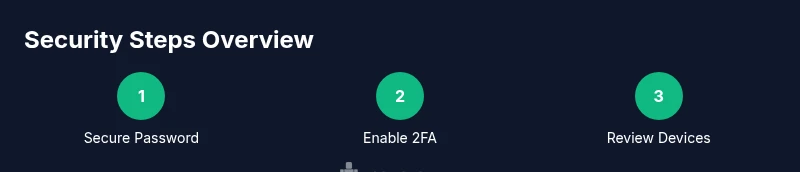
Start with a quick audit of your Roblox account: review recent login history, connected devices, and recent password change timestamps. If you see unfamiliar entries, revoke those sessions immediately, force a password reset, and enable two‑factor authentication if it isn’t already active. Check your recovery options—make sure the linked email and phone number are yours and up to date. Disable any third‑party apps you don’t recognize and remove permissions for anything suspicious. Finally, set up alerts for new logins and device changes so you receive instant notices if someone tries to access your account. Acting promptly after noticing odd activity greatly reduces potential damage and makes it easier to recover quickly if a breach has occurred.
Strengthen authentication: passwords and two-factor authentication
The foundation of Roblox security is a strong, unique password and robust two‑factor authentication (2FA). Use a password manager to generate and store complex credentials, and avoid reusing passwords across sites, especially between Roblox and banking or email accounts. Enable 2FA using an authenticator app (not SMS alone) or a security key where supported. Each login will require the second factor, dramatically limiting unauthorized access even if the password is compromised. Regularly review active sessions and reset credentials after any major security event. A layered approach combining password hygiene with 2FA creates a strong defense against break in roblox attempts.
Recovery options and securing alternate contact details
Recovery options are you last line of defense when access is lost. Update your linked email address and phone number, ensuring they’re secure and accessible only to you. Generate and store backup recovery codes in a safe location or a password manager entry. Consider adding an alternate recovery method, like a trusted contact or another verified device, to prevent being locked out during a breach. Roblox occasionally prompts for verification via email or phone during suspicious activity; keeping these channels current reduces the risk of prolonged denial of access after a break in roblox attempt.
Safe practices to avoid phishing and social engineering
Phishing remains one of the top routes to break in roblox. Always navigate to Roblox through the official app or website, not through links in email or social media messages. Inspect URLs carefully; attackers often mimic legitimate addresses. Never share your password, security codes, or 2FA prompts with anyone, and beware of urgent language that pressures you to reveal credentials. If a prompt asks for your password outside of Roblox’s login page, treat it as suspect. Enable browser protections and keep software updated to prevent malware that could capture keystrokes or screenshots. By practicing cautious behavior, you reduce your exposure to social engineering tricks that facilitate break in roblox events.
For developers: guard rails for games and APIs
Developers face unique risks when their games connect to external services or use in‑game purchases. Enforce strict API authentication, rotate keys regularly, and restrict what each token can access. Use least‑privilege access for third‑party tools and review their permissions periodically. Implement server‑side validation for critical actions, and monitor for unusual patterns such as mass item grants or rapid changes to in‑game economies. Keeping your codebase and dependencies updated also minimizes exploitable flaws that attackers could weaponize to cause a break in roblox scenario.
Long-term security habits: monitoring and updates
Security isn’t a one‑time fix; it’s a discipline. Schedule monthly reviews of login activity, device lists, and 2FA status. Stay informed about Roblox security updates and best practices from trusted sources like Blox Help Editorial Team. Keep your recovery methods current and test them with a controlled account reset. If you run a Roblox group or game development studio, implement a security playbook that outlines who can approve access, how to audit access, and how to respond when a potential breach is detected. Regular hygiene—password rotation, device audits, and proactive alerts—goes a long way toward preventing break in roblox in the long term.
What to do next: rebuilding confidence and learning
If a break in roblox occurs, act quickly to recover control, inform Roblox support, and review all recent activity. Communicate transparently with your community or team about the breach and the steps you’ve taken to restore security. Use the incident as a learning moment: document what happened, adjust your security habits, and share the lessons so others can avoid similar issues. With consistent practice and reputable safeguards, you’ll minimize future risk and keep your Roblox projects safe for players and collaborators.
Tools & Materials
- Stable internet connection(A reliable connection reduces login errors and security alerts during audits.)
- Your own device (phone/computer)(Use personal devices; avoid shared machines when handling accounts.)
- Authenticator app or security key(Setup Google/M Microsoft Authenticator or a hardware security key.)
- Updated recovery options (email/phone)(Ensure recovery channels belong to you and are current.)
- Strong, unique passwords(Never reuse passwords across services; use a password manager.)
- Backup recovery codes(Store codes securely for account recovery if you lose access.)
Steps
Estimated time: 2-3 hours
- 1
Audit current account state
Log in securely and review recent login history, devices, and changes to account settings. Look for unfamiliar IP addresses or new devices. If you spot anything suspicious, note the details for Roblox support and prepare to act quickly.
Tip: Document timestamps and device names to speed up recovery and investigation. - 2
Enable two-factor authentication (2FA)
Activate 2FA using an authenticator app or hardware key. Do not rely on SMS alone, as SIM swap fraud can compromise SMS codes. Once enabled, test a login to confirm the second factor prompts correctly.
Tip: Keep the authenticator app backed up or export codes in a secure password manager entry. - 3
Improve password hygiene
Change your Roblox password to a long, unique passphrase. Use a password manager to generate and store it, then remove auto‑fill in browsers for the login page.
Tip: Avoid common phrases or reused patterns; consider sentence-based passphrases. - 4
Review linked apps and permissions
Check every app or service connected to Roblox. Revoke access for anything you don’t recognize or trust. This prevents token leakage that could enable a break in roblox.
Tip: Only authorize apps from reputable developers and verify scopes before granting access. - 5
Update recovery channels
Verify that your email and phone number are current and secured with 2FA. Add a secondary recovery method if possible.
Tip: Test the recovery flow from a separate device to ensure accessibility. - 6
Secure your assets and game connections
For developers, rotate API keys, validate server-side actions, and audit third‑party integrations. Protect game assets from unauthorized access.
Tip: Implement rate limiting and anomaly detection for sensitive endpoints. - 7
Prepare for breach scenarios
Create an incident response plan: who to contact, how to document events, and steps to recover control quickly. Practice it with your team.
Tip: Keep a simple checklist that anyone can follow under pressure.
Questions & Answers
What counts as a break-in on Roblox?
A break-in on Roblox means unauthorized access to your account, often via weak passwords, phishing, or compromised third‑party apps. It can result in altered settings, purchases, or avatar changes. Early detection and swift action are key to limiting damage.
A break-in on Roblox means someone gained access to your account without permission, often through weak security or phishing, which can lead to changes in settings or purchases.
How can I tell if my Roblox account was compromised?
Look for unexpected login notices, unfamiliar devices, altered account details, or sudden purchases. If you notice any, act quickly: change your password, enable 2FA, and revoke unknown app access.
Watch for new logins, devices you don’t recognize, or strange account changes; those are red flags of compromise.
What should I do immediately after noticing a breach?
Revoke suspicious devices, reset your password, enable 2FA, and verify recovery options. Contact Roblox support if you cannot regain control within a short time frame.
First, cut off any suspicious access, then reset credentials and contact Roblox support if access remains blocked.
Is two-factor authentication available on Roblox?
Yes. Roblox supports two-factor authentication via authenticator apps and other methods. Enabling 2FA significantly reduces the risk of break in roblox.
Yes, you can turn on two-factor authentication to add an extra layer of security.
Can a strong password alone stop break-ins in Roblox?
A strong, unique password is essential but not sufficient alone. Combining a strong password with 2FA and vigilant monitoring offers stronger protection against break-ins.
A strong password helps, but pairing it with 2FA is what really stops most break-in attempts.
What should developers do to prevent break-ins?
Developers should implement secure authentication, rotate API keys, validate inputs on the server, and monitor for unusual activity in games and APIs. Regular security audits help prevent break-ins.
Developers should require strong authentication, audit APIs, and monitor for unusual access patterns.
Watch Video
The Essentials
- Enable 2FA and unique passwords for Roblox
- Regularly review devices and login activity
- Revoke suspicious app access promptly
- Keep recovery methods current and tested
- Develop a security playbook for teams and projects