Make Roblox Games: A Step-by-Step Studio Guide for Beginners
Learn how to make Roblox games using Roblox Studio. This beginner-friendly guide covers planning, building, scripting, testing, and publishing your first Roblox title with practical tips and best practices.


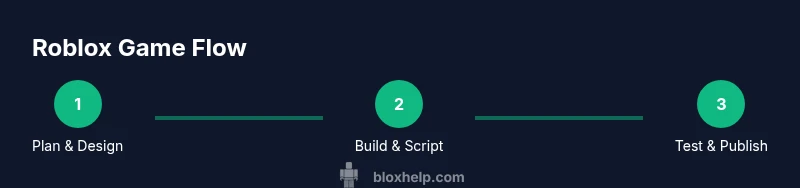
You can learn to make games roblox by using Roblox Studio to plan, build, script, test, and publish your first title. This quick guide highlights essential tools, beginner-friendly steps, and common pitfalls so you can start creating playable Roblox games today. It covers defining goals, choosing templates, understanding basic Lua scripting, testing with friends, and iterating based on feedback.
Getting started with Roblox Studio
To make games roblox, the first step is to install Roblox Studio and become comfortable with its layout. Roblox Studio is the development environment used to create experiences for Roblox. Before you dive into building, create a Roblox account and download Studio from the official site. This quick setup will set you up for success as you learn by doing. According to Blox Help, many beginners underestimate the time needed to learn the basics, so plan a focused practice routine of 30–60 minutes several days a week. In this block, you’ll learn where to find the main tools, how to open sample templates, and how to start a simple scene that you can grow later. If you want to make games roblox, start with a tiny scene and a clear goal. Your first scene should emphasize a single core mechanic (for example, a basic obstacle course or a simple treasure hunt) so you can iterate without getting overwhelmed. As you explore, keep a notepad of questions you have about scripting, physics, and UI.
Planning your first game
Successful Roblox games start with a clear plan. Define the core loop, the target audience, and the minimum viable experience you want players to enjoy in the first release. Break the project into small milestones: map layout, core mechanic, basic UI, and a simple soundscape. According to Blox Help analysis, starting with a tight scope helps beginners learn faster and avoid feature creep. Sketch a simple map on paper or in a digital tool, list the assets you’ll need, and set a rough timeline. Then validate the idea by explaining it to a friend or posting a short concept video. If your plan includes a competitive element or a puzzle, outline win conditions and failure states to prevent scope creep later.
Building your world: terrain, parts, and assets
Worlds in Roblox come alive through thoughtful layout and asset choices. Start with a grid-based layout to keep measurements consistent, then add terrain for hills, water, or plains. Use basic shapes to prototype major zones before importing external assets. Keep textures simple to minimize performance costs, and name every object descriptively to stay organized as your world grows. This stage is about translating your idea into a navigable space players can explore; aim for visual clarity and a smooth path from start to finish.
Scripting fundamentals: Lua basics
Lua is the scripting language used in Roblox Studio. Begin with core concepts: variables, functions, events, and basic object interactions. Create small scripts to control doors, triggers, and score counters, then expand as you gain confidence. Use Roblox’s built-in APIs to move objects, detect collisions, and play sounds. As you progress, experiment with simple loops and conditional logic to create responsive gameplay. A steady pace beats bursts of unfinished code, so build one feature at a time and test frequently.
UI, controls, and player experience
A clean user interface (UI) and intuitive controls dramatically improve player enjoyment. Start with a simple on-screen HUD showing health, score, and objectives. Design input schemes that work across devices—keyboard/mouse for PC, touch input for mobile, and gamepad where possible. The player experience is shaped by loading times, responsiveness, and feedback animations; keep transitions short and provide clear cues for actions. Use consistent color schemes and readable typography so players can navigate menus and game states without confusion.
Testing with players and iterating
Testing is essential for any Roblox game. Run closed tests with friends or fellow developers to catch bugs early, then expand to open beta tests to gather diverse feedback. Collect data on play time, completion rates, and common failure points without overwhelming you with numbers. Use the feedback to prune features, adjust difficulty, and fix performance issues. A repeatable test plan—reproduce, observe, fix, and retest—will accelerate your learning and improve your game faster than working in isolation.
Publishing and sharing your game
Publishing makes your Roblox game visible to the world. Ensure your game has a clear title, thumbnail, and description that communicates the core experience. Configure basic monetization only after your MVP is solid, and consider setting up a simple demo or trailer video. Roblox’s publishing workflow guides you through versioning, permissions, and updates; keep your game current with regular improvements and listener feedback from players. Remember to comply with Roblox guidelines and community standards when releasing content.
Common pitfalls and how to avoid them
Beginners often fall into predictable traps that slow progress. Avoid scope creep by defining a minimal viable product before coding, and resist adding features you cannot finish quickly. Don’t rely on free assets alone; learn to create your own simple models and textures or license assets responsibly. Poor testing leads to buggy releases; test early and with varied players. Finally, neglecting documentation makes future updates painful—keep notes on decisions, asset names, and scripting functions so you can maintain momentum.
Growth path: learning resources and next steps
Once you have a small playable project, the learning never stops. Expand your knowledge of Roblox Studio by exploring the Developer Hub, tutorials, and community forums. Practice Lua scripting with hands-on mini-challenges, like a door system or a scoring script, then combine them into a cohesive game loop. Experiment with user interface design, physics, and multiplayer concepts as you gain confidence. For continued growth, plan a long-term learning path that includes version control for projects, asset management, and collaboration with others. The journey from beginner to competent Roblox developer is iterative and rewarding, and the Roblox community provides ample opportunities to share, critique, and improve your work.
Tools & Materials
- Roblox account(Required to publish and test games; create or reuse an account.)
- Computer with reliable internet(Essential for downloading Studio and testing online.)
- Roblox Studio(Download from the official Roblox site; the primary development tool.)
- Notetaking app or document(Capture ideas, decisions, and scripts for reference.)
- Access to sample assets/templates(Helpful for rapid prototyping and learning by example.)
Steps
Estimated time: 4-6 hours
- 1
Define your game goal
Clearly state the core experience your game will deliver. Write a one-sentence goal and list 2-3 success criteria. This keeps scope manageable and guides decisions during development.
Tip: Keep the goal specific and measurable; otherwise feature creep will derail progress. - 2
Set up a basic world in Studio
Open a new project, insert a BasePlate, and create a simple layout. Place a few blocks to outline the path or arena, and name them descriptively for quick reference during scripting.
Tip: Use a grid and align objects to it; consistent spacing improves level flow. - 3
Add a core mechanic
Implement a single, repeatable mechanic (e.g., collect a token, reach a checkpoint). Test its responsiveness and balance before adding more features.
Tip: Aim for a mechanic that’s easy to explain and fun to repeat. - 4
Learn Lua basics
Create a Script to respond to a trigger (like a button or door). Focus on a few essential concepts: variables, functions, and events.
Tip: Start small: a script that prints a message or toggles a part’s visibility. - 5
Create a simple UI
Add a ScreenGui with essential UI elements (health, score, objective) that updates during gameplay. Ensure it scales across devices.
Tip: Prioritize clarity over decoration; less is more on mobile screens. - 6
Test and publish
Playtest with friends, collect feedback, fix bugs, and publish a first version. Iterate based on tester insights and analytics.
Tip: Document issues and fixes to guide future updates.
Questions & Answers
What is Roblox Studio and do I need it to make Roblox games?
Roblox Studio is the official development environment for building Roblox games. You need Studio to create, script, and publish your projects. It includes tools for modeling, terrain, and Lua scripting, all in one place.
Roblox Studio is the essential tool for building, scripting, and publishing Roblox games.
Do I need to know Lua to make games?
Basic Lua knowledge helps, but you can start with built-in templates and simple scripts. As you gain experience, you’ll learn to automate tasks and add custom gameplay.
Knowing Lua is very helpful, but you can begin with simple, template-based scripts.
How long does it take to learn Roblox scripting?
Learning varies by effort, but consistent practice over a few weeks builds a solid foundation. Expect to add features gradually as you understand key concepts.
It varies, but steady practice over weeks yields real progress.
Can I publish a game for free or is there a fee?
Publishing on Roblox is free. You may explore monetization options later or participate in optional programs as you expand your game.
Publishing is free, with optional monetization later.
What’s the best way to get feedback on my Roblox game?
Share your game with friends and developers, join Roblox forums, and review basic analytics like visits and engagement to guide improvements.
Share with friends and the community to gather useful feedback.
Where can I find official learning resources?
Roblox provides tutorials, a Developer Hub, and community guides. These resources offer structured learning paths and practical examples.
Check Roblox’s tutorials and Developer Hub for official learning paths.
Watch Video
The Essentials
- Plan a small, well-defined scope before coding
- Master the Studio interface and basic Lua scripting
- Test early, test often, and iterate with feedback
- Publish with a clear title, thumbnail, and description
- Continue learning through official tutorials and community resources