Roblox and Xbox: A Practical Side-by-Side Comparison
Explore Roblox on Xbox vs PC: setup, controls, cross‑play, library, safety, and monetization. Analytical guidance for players and developers navigating Xbox hardware and the Roblox ecosystem.


Roblox and Xbox: The Cross-Platform Question
The combination of Roblox and Xbox represents a practical bridge between console accessibility and an expansive, creator-driven ecosystem. For players who favor couch gaming, Xbox delivers convenient access to a broad catalog of Roblox titles, social features, and straightforward setup. At the same time, Roblox on Xbox is not an island; your Roblox account travels with you across platforms, so your friends on PC or mobile can join in, provided the game supports cross‑play. As you weigh options, consider how you value ease of use, input methods, and the potential for creator-focused experiences. This article analyzes the key differences and practical trade-offs for Roblox and Xbox, with an eye toward both casual play and long-term engagement in the Roblox universe.
Platform Access and Setup on Xbox
Getting started with Roblox on Xbox is designed to be straightforward. You can download the Roblox app from the Xbox Store, sign in with your existing Roblox account, and dive into games with minimal friction. The setup benefits from a familiar console interface, a family-friendly, parental‑controls friendly environment, and integrated Microsoft account handling for purchases. For new players, the process is typically quicker than PC bootups, especially if you already own an Xbox. For returning players, your existing Roblox catalog is accessible without separate downloads, and progress is tied to your Roblox account rather than the hardware you use. While the initial flow is simple, some advanced features require a PC or mobile device to access.
Controls and Accessibility for Console Players
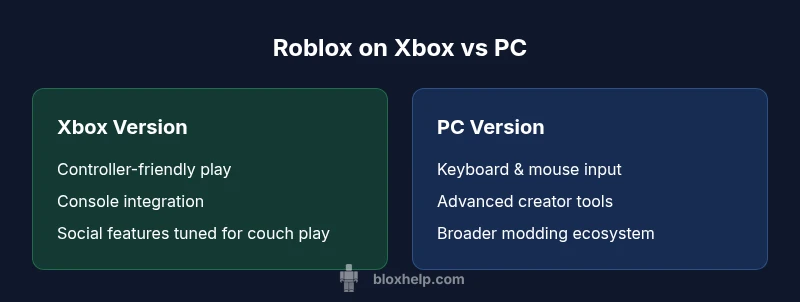
Xbox Roblox emphasizes controller-friendly gameplay, with map-ready inputs and quick access to in-game menus. Navigation is designed to be intuitive on a TV or monitor, and accessibility options—such as larger text, high-contrast modes, and narration support—make it easier for players with different needs to enjoy experiences. Keyboard and mouse support on Xbox is limited compared to PC, which may affect certain genre games that rely on precision. On the upside, most Roblox titles adapt well to a controller layout, and many developers optimize their games specifically for console controls. If you rely on voice chat or in-game chat, settings are integrated with Xbox’s own chat features, streamlining social interaction across platforms.
Performance and Visual Quality on Xbox
Performance on Xbox centers on stable frame rates, smooth loading, and consistent texture streaming within the console’s capabilities. You will typically notice reliable performance in optimized Roblox titles, with the occasional variance stemming from a game’s specific optimizations or from background system load. Visual quality is generally strong on modern Xbox hardware, with support for high-definition outputs and scalable resolutions that suit most living room setups. Developers must balance graphic fidelity with console limits, so some ambitious visuals may appear differently on Xbox compared with high-end PC configurations. For most players, the experience remains fluid and accessible without needing a high-end PC.
Content Library Parity and Cross-Platform Availability
One of Roblox’s strengths is its shared content catalog across platforms, but parity isn’t always literal in every title. Xbox features a substantial portion of the Roblox library, including popular multiplayer experiences and user-generated adventures. Some titles may be gated by platform-specific constraints or require additional permissions for cross‑play; however, the majority of multiplayer games aim to be available to players on Xbox and PC. If you’re curious about a specific game, verify cross‑play availability in its description or the Roblox game page. Over time, more titles tend to reach Xbox as developers optimize for console input and performance.
Cross-Platform Progression and Account Management
Your Roblox progress and purchases follow your Roblox account, not your device. This means that achievements, saved progress, earned cosmetics, and Robux purchases are accessible across Xbox, PC, mobile, and other supported platforms. Cross-platform play can enable you to join friends regardless of their device, provided the game supports cross‑play. For developers, this model supports broader reach and consistent monetization across ecosystems. It’s important to review privacy settings and enable any platform-specific safety features that help tailor your experience to your household norms.
Monetization, Purchases, and Currency on Xbox
Monetization in Roblox on Xbox aligns with Roblox’s broader economy while integrating Microsoft account handling for purchases. Robux purchases and bundles typically flow through the Roblox system, with Xbox handling the platform-side payment flow. Regional pricing may vary, and some bundles or game passes might be offered differently in the Xbox Store. Although the currency is unified across platforms in practice, you may encounter platform-specific prompts or promotions. For players focusing on creativity or game development, consider how purchases may impact ongoing access to assets or experiences across devices.
Safety, Parental Controls and Moderation on Xbox
Xbox provides robust parental controls through its Family Settings, and Roblox maintains its own safety and moderation features across its titles. Parents can set screen-time limits, content filters, and privacy restrictions that influence who can interact with younger players. On Xbox, you’ll want to review both Xbox’s parental controls and Roblox’s in-game safety options to ensure a safe, age-appropriate environment. The combination of these tools helps families manage exposure to mature content while still enjoying a broad catalog of experiences.
Getting the Most from Roblox on Xbox: Practical Tips
To optimize your Roblox experience on Xbox, start with a comfortable controller layout and adjust in-game accessibility options to fit your needs. Explore family safety settings early and set privacy controls that reflect your social preferences. For social play, coordinate with friends via in-game invites or Xbox parties to maximize cooperative experiences. If you encounter a performance hiccup, try a quick power cycle of your console, ensure the Roblox app is up-to-date, and verify your network stability. These steps can reduce input lag, improve loading times, and help you focus on gameplay rather than technical distractions.
Troubleshooting Common Xbox Roblox Issues
Despite Roblox's generally smooth integration on Xbox, you may encounter occasional issues such as login troubles, controller input delays, or matchmaking glitches. Basic troubleshooting includes checking for system updates, ensuring the Roblox app is current, and verifying your network connection. If problems persist, consult Roblox support resources or the Xbox support ecosystem for device-specific guidance. Some issues are game-specific and may require developers to patch a title; in such cases, joining community forums can reveal practical workarounds that others have found effective.
The Road Ahead: What to Expect for Roblox on Xbox
Looking forward, Roblox on Xbox is likely to benefit from ongoing updates aimed at improving cross‑play, expanding the console catalog, and refining creator tooling for console developers. Expect enhancements to social features, parental controls, and performance optimizations that align with evolving Xbox hardware capabilities. The interconnection between Roblox’s creator economy and console accessibility will continue to influence how experiences are designed for players across devices. The trend favors broader reach, stable experiences, and safer play spaces for families and casual gamers alike.
Quick Start Checklist for New Roblox Players on Xbox
- Sign in with your Roblox account on the Xbox Roblox app.
- Enable safety settings and parental controls if needed.
- Join a friend’s game or browse popular Xbox Roblox experiences.
- Customize your avatar and inventory within Roblox’s catalog.
- Explore cross‑platform friends and ensure your account is linked across devices.