How Do You Use Roblox Cards? A Practical Guide
Learn how to redeem Roblox gift cards, choose Robux or Premium, stay safe, and maximize value with a clear, step-by-step approach.


You use Roblox gift cards by redeeming the code at roblox.com/redeem to add Robux or credit a Premium purchase, then using that balance in any Roblox transaction. According to Blox Help, keep your code secure, sign in, enter the 12-character code, and confirm. You can redeem on desktop, mobile browser, or the Roblox app, and the credit instantly applies to your account.
What Roblox Gift Cards Are and How They Work
If you're wondering how do you use roblox cards, start with the basics: Roblox gift cards are a simple way to add Robux or fund a Premium membership on your account. The card provides a 12-character code that, once redeemed, increases your in-game balance or grants access to Premium features. This method is commonly used by players who prefer prepaid options over linking a bank card. According to Blox Help, gift cards are a trusted route for beginners and seasoned players alike because they offer a straightforward, secure way to finance Roblox activities without sharing payment details.
How to Redeem Roblox Gift Cards: A Clear Path (What to Do First)
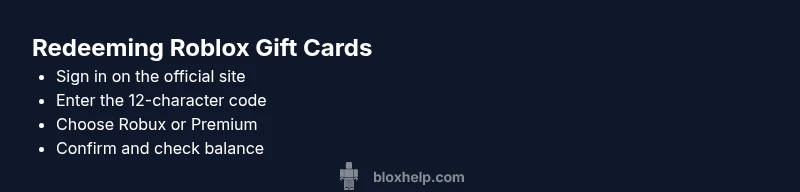
For many players, the key question is how do you use roblox cards from start to finish. The official redemption flow is designed to minimize friction and protect your account. Begin by signing into the Roblox account you want to credit, then open the Redeem page on the official site. You’ll be prompted to enter the 12-character code found on your card or in the purchase confirmation email. Completing these steps immediately adds Robux or the selected Premium option to your account. This direct path helps prevent phishing and keeps your credentials safe. The most common mistake here is entering the code on a non-official site, so always use roblox.com/redeem.
Robux Credit vs Premium: Choosing the Right Path
Choosing between Robux credit and Premium affects how you spend in Roblox. If you ask yourself how do you use roblox cards to maximize value, the decision hinges on your playing style. Robux credits increase your spending power across games, items, and avatar customization. Premium, on the other hand, unlocks a monthly robux stipend and extra benefits, which can be more cost-effective for heavy players. When you redeem, you typically pick Robux, then decide later if you want to upgrade to Premium. To make an informed choice, consider your typical in-game purchases, avatar aesthetics, and how often you plan to play games that reward Robux earnings.
Where to Buy Roblox Gift Cards Securely
The safest way to buy Roblox gift cards is through official retailers or direct from Roblox. Avoid third-party marketplaces that require you to share personal details, as these can be risky. Always verify the retailer’s legitimacy, check the card’s code protection area, and retain your receipt until you’ve confirmed successful redemption. For kids and parents, buying directly from Roblox or trusted stores reduces the chance of counterfeit codes. If you wonder how do you use roblox cards safely, follow the steps on the official site and keep your code private until you’re ready to redeem.
Common Mistakes When Using Roblox Cards (And How to Avoid Them)
A frequent error is attempting to redeem codes on non-official pages or sharing codes publicly. To answer the question of how do you use roblox cards correctly, always redeem on roblox.com/redeem and keep codes in a private place. Notebooks or password-protected digital notes work well. Another mistake is misunderstanding the returned balance or failing to refresh the balance after redemption. Finally, remember that Robux balance belongs to the account it’s redeemed to and can’t be transferred between accounts. Regularly review your account activity to catch unauthorized redemptions early.
Troubleshooting Redeem Issues and Safety Tips
If a code isn’t accepted, recheck the exact characters you entered, confirm the card hasn’t expired, and try again after refreshing the page. Ensure you’re signed into the correct account, and use the official Roblox site to redeem. For extra protection, enable two-factor authentication and never share your code with others. If problems persist, contact Roblox customer support. As you navigate redeems, keep in mind that safety and privacy matter just as much as getting Robux or Premium.
Tools & Materials
- Roblox gift card (physical or digital)(Contains the 12-character code on the back or in the email)
- Device with internet access(Desktop, laptop, or mobile device (phone/tablet))
- Official Roblox account login(Ensure you sign into the account you want to credit)
- A safe place to store the code(Notepad or secure digital note)
Steps
Estimated time: 15-20 minutes
- 1
Prepare your account and device
Sign into the Roblox account you want to credit and navigate to the official Redeem page on roblox.com/redeem. This ensures the code links to the correct account and reduces the risk of phishing.
Tip: Always use the official site and verify the URL before entering any codes. - 2
Find and inspect your code
Locate the 12-character code on the Roblox gift card or in the email you received. Inspect the characters for ambiguous letters or numbers so you enter the code accurately (e.g., O vs 0).
Tip: Keep the card in a safe place until you’re ready to redeem. - 3
Enter the code accurately
Type the code into the Redeem box and submit. Double-check for typographical errors and avoid pasting if the site flags unusual characters. If the code is invalid, refresh the page and try again.
Tip: If you’re unsure about a character, copy-paste can help, but only on the official site. - 4
Choose Robux or Premium balance
Select whether you want to add Robux to your balance or apply the value toward a Roblox Premium membership. This decision affects how you’ll spend your rewards.
Tip: If you plan to upgrade later, you can redeem now and switch options later through Settings. - 5
Confirm redemption and view balance
Click Redeem (or Confirm) and then go to your account Settings or Balance area to verify the new Robux amount or Premium status.
Tip: If the balance doesn’t appear, refresh the page or sign out and back in. - 6
Start using your balance
Use Robux for games, avatar items, or in-game purchases, or enjoy Premium benefits. Remember, Robux balances stay tied to the account they were redeemed to.
Tip: Monitor purchases to avoid overspending and set a budget if needed.
Questions & Answers
Can I redeem Roblox gift cards on mobile devices?
Yes. You can redeem Roblox gift cards using the Roblox app or a mobile browser. The process is the same: sign in, open the Redeem page, enter the code, and confirm.
Yes, you can redeem on mobile using the Roblox app or mobile browser. The steps are the same as on desktop.
What should I do if the code isn’t accepted?
First, recheck the code for accuracy and ensure you’re on the official site. If it still fails, try the page refresh or contact Roblox support.
If the code isn’t accepted, double-check it for typos and use the official site, then contact support if needed.
Can Robux be transferred to another account?
No. Robux balances are bound to the account where they were redeemed and cannot be transferred between accounts.
Robux belongs to the account it’s redeemed on and can’t be moved to a different one.
Is there an expiration date for Roblox gift cards?
Roblox gift cards do not expire, but you should redeem them before they’re misplaced or lost.
Gift cards don’t expire, so you can redeem them whenever you’re ready.
Where can I buy Roblox gift cards securely?
Buy from Roblox’s official store or trusted, reputable retailers. Avoid third-party sellers with unclear legitimacy.
Buy from official stores or trusted retailers to avoid counterfeit codes.
What if I forget to redeem a gift card before buying something else?
Redeeming after you’ve spent can still work if you use the same account, but you won’t retroactively convert alternative payments to Robux. Always redeem first to maximize balance.
Redeem using the same account to ensure the balance is available for your next purchase.
Watch Video
The Essentials
- Redeem Roblox cards only on the official site
- Decide Robux vs Premium based on play style
- Keep codes private and secure
- Check balance after redeeming in Settings
- Robux stays with the account and is non-transferable